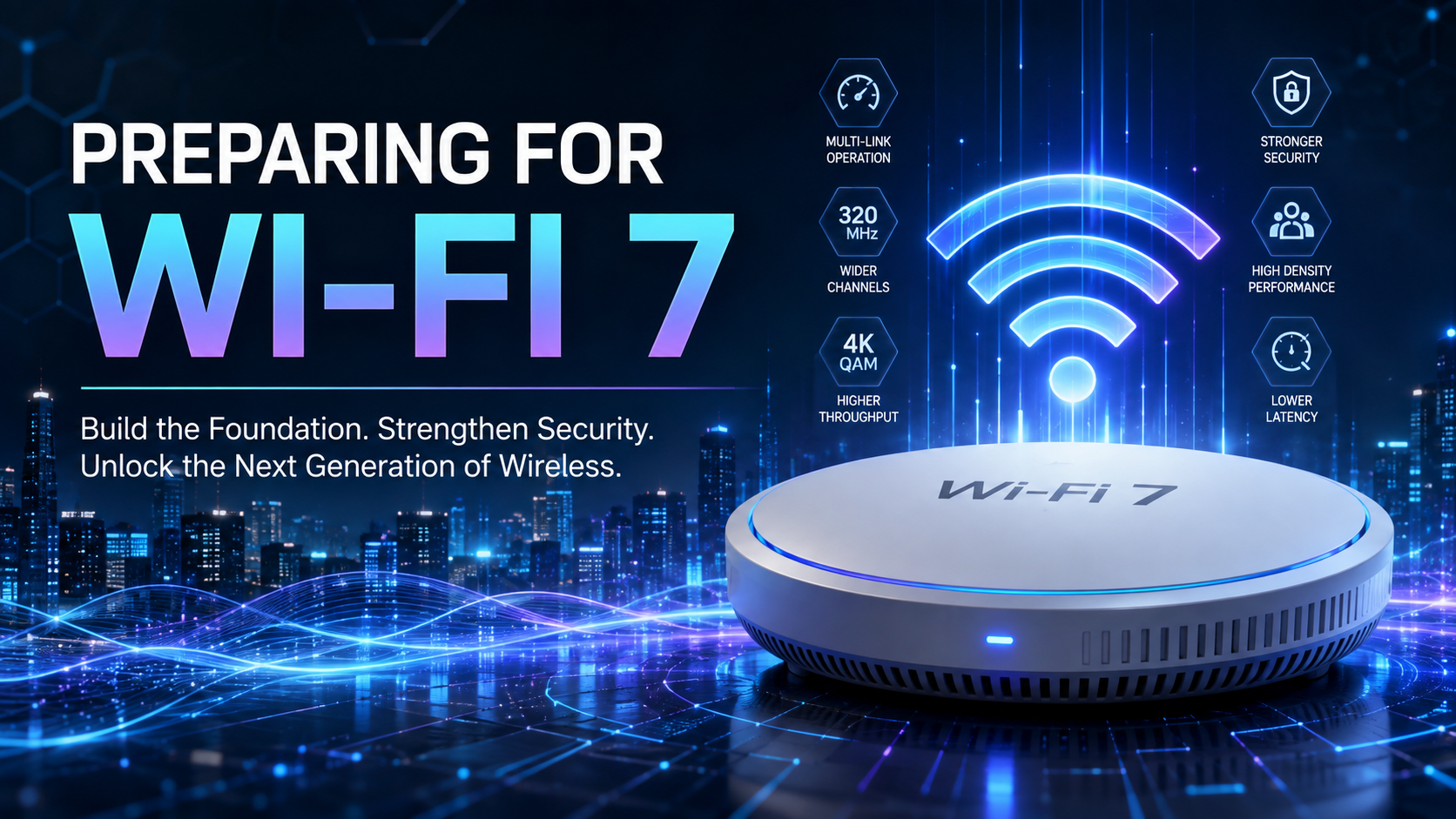
Wi-Fi is now a vital part of how organizations work. It’s used for lots of things like cloud services, tools that help people work together, smart buildings, security systems, industrial equipment, and a growing number of Internet of Things devices. As companies get ready for Wi-Fi 7, they shouldn’t just be asking if it’s faster – because it definitely is. The more important thing to think about is whether their infrastructure, security, devices, work processes, and business applications are ready to take advantage of it. They need to make sure everything is in place to really benefit from the new standard.
Wi-Fi 7 is a big step up from its predecessors, Wi-Fi 6 and Wi-Fi 6E. It’s based on a new standard called IEEE 802.11be, or Extremely High Throughput for short. This new technology uses wider channels, more advanced modulation, and better spectrum utilization to achieve incredibly fast speeds. But that’s not all – it also tackles issues like latency, jitter, and reliability, especially in crowded areas with lots of devices competing for bandwidth. The goal is to provide a seamless and high-performance experience, even in dense environments. Researchers have been working on this technology for a while now, and it’s expected to be a game-changer for wireless connectivity. With Wi-Fi 7, we can expect faster, more reliable, and more efficient wireless networks that can handle the demands of modern devices and applications.
These capabilities make Wi-Fi 7 relevant to organizations supporting augmented reality, high-resolution video, artificial intelligence workloads, industrial automation, telemedicine, real-time collaboration, and dense Internet of Things environments. However, installing Wi-Fi 7 access points without addressing the surrounding infrastructure will produce disappointing results. A successful transition requires coordinated planning across radio-frequency design, switching, cabling, internet connectivity, endpoint management, cybersecurity, monitoring, and governance.
What Makes Wi-Fi 7 Different?
The headline feature of Wi-Fi 7 is speed, but its more meaningful benefits involve capacity, responsiveness, flexibility, and reliability.
Wi-Fi 7 is a big deal because it can handle way more data at once. It does this by using super wide channels – we’re talking up to 320 MHz in the 6 GHz band. That’s double what Wi-Fi 6E can do. So, what does this mean? Well, when channels are wider, more data can be sent through them, making everything faster. But, there’s a catch. To actually use these wide channels, you need to have access to the right spectrum, and that can vary depending on where you are and what’s around you. Other wireless networks and interference can also get in the way. Researchers like Naik and Yang have been studying this, and they’ve found that it’s not just about having the latest tech – it’s also about having the right conditions to make it work.
Wi-Fi 7 is taking a big step forward with something called 4096 quadrature amplitude modulation, or 4K-QAM for short. This new method can pack a lot more information into each symbol, with 12 bits per symbol, compared to the 10 bits per symbol that Wi-Fi 6 can handle with its 1024-QAM modulation. When everything is working perfectly, this means that Wi-Fi 7 can send data about 20 percent faster than Wi-Fi 6, which is a pretty significant boost. Researchers like Deng and others have been looking into this, and they’ve found that it can make a real difference in how fast data can be transmitted.
The words “under ideal conditions” are important. Higher-order modulation requires a strong, clean signal. Its practical benefits will be greatest when clients are relatively close to access points and experience little interference. Organizations should not assume that 4K-QAM will provide the same improvement in every office, warehouse, hospital, school, or home.
One of the most significant features of Wi-Fi 7 is something called Multi-Link Operation, or MLO for short. Normally, devices that use Wi-Fi can only communicate on one band or channel at a time. But MLO changes that – it lets devices that are compatible with it create multiple links across different bands, like 2.4 GHz, 5 GHz, and 6 GHz. How these links are used can vary, but they can be combined to get faster speeds, switched between dynamically to avoid getting bogged down, or used as backups to make the connection more reliable. This means that devices can take advantage of the best available band or channel, depending on the situation, which can lead to a more stable and efficient connection.
Studies have shown that Multi-Link Operation (MLO) can really boost the speed and reduce delays of wireless networks. However, to get the best results, you need to have good link quality, the right radio architecture, smart traffic scheduling, and coordination between access points. Just turning on MLO isn’t enough – if the links are out of balance, the channels are crowded, or the client devices aren’t compatible, it can actually make things worse. Researchers like Korolev and Song have been looking into this, and their findings from 2022 highlight the importance of getting all these factors just right to make MLO work effectively.
Wi-Fi 7 has a cool feature called preamble puncturing. This means that even if some parts of a wide channel are messed up by interference, a device can still use the good parts. It’s like finding a clear path in a crowded room. Instead of giving up on the whole channel, the system can just avoid the bad spots and keep transmitting on the rest of the spectrum. This is really helpful in areas with a lot of wireless devices, where it’s hard to find a completely clear channel. Researchers like Deng and Garcia-Rodriguez have been studying this and found it to be useful in dense wireless environments.
Do Not Begin With the Access Points
One of the most common wireless-upgrade mistakes is beginning with hardware selection. Organizations purchase the newest access points and then discover that the rest of the network cannot adequately support them.
Wi-Fi 7 access points may require multigigabit Ethernet connections operating at 2.5, 5, or 10 gigabits per second. A traditional 1-gigabit switch port can become a bottleneck before the wireless network reaches its potential. Some access points may also require greater Power over Ethernet capacity, particularly when all radios, spatial streams, and advanced capabilities are enabled.
Before selecting access points, organizations should assess:
- Access-layer switching speeds and multigigabit port density
- Power over Ethernet standards and available power budgets
- Category 6, Category 6A, and fiber-optic cabling
- Uplink capacity between access, distribution, and core switches
- Firewall and security-appliance throughput
- Internet and wide-area network capacity
- Wireless-controller or cloud-management licensing
- Monitoring, logging, and packet-analysis capabilities
A Wi-Fi 7 access point connected to an undersized switch, outdated cabling, or an overloaded firewall may operate more like an expensive Wi-Fi 6 access point in practice.
Organizations should also examine the complete path between wireless users and their applications. A client may establish a multigigabit wireless connection while still experiencing delays caused by domain name resolution, cloud security inspection, virtual private network gateways, congested WAN links, application servers, or internet service limitations. Wireless link speed is only one component of end-to-end performance.
Determine Whether 6 GHz Is Usable
Wi-Fi 7 is really going to shine because of the 6 GHz spectrum that was first introduced with Wi-Fi 6E. This 6 GHz band is a game-changer – it offers more channels and is less prone to interference from older devices. This is especially crucial when it comes to 320 MHz channels and large-scale deployments, as noted by Naik and colleagues back in 2020. With this spectrum, Wi-Fi 7 can really show off its capabilities. The extra channels and reduced interference will make a big difference in how well Wi-Fi 7 performs, especially in busy environments where lots of devices are competing for bandwidth.
When it comes to wireless signals, there’s a catch. The higher the frequency, the more they struggle to pass through solid objects like walls, floors, and furniture. This means that indoor Wi-Fi performance is still heavily affected by how far apart devices are, how many walls and floors are in the way, the direction of the antennas, and any obstacles that block the line of sight. The type of building materials used and local interference also play a big role.
Organizations should conduct a new wireless survey rather than relying entirely on a design originally created for 2.4 GHz or 5 GHz coverage. An access-point layout that provides acceptable 5 GHz service may leave significant 6 GHz coverage gaps.
The survey should evaluate more than signal strength. It should measure:
- Signal-to-noise ratio
- Channel utilization
- Co-channel and adjacent-channel interference
- Retransmission rates
- Roaming behavior
- Latency and jitter
- Application performance
- Client density and device capabilities
For critical facilities, the survey should also account for attenuation caused by concrete, metal shelving, insulated glass, elevators, machinery, storage racks, and movable partitions.
In some cases, you might need to add more access points to get consistent coverage on the 6 GHz band. But simply turning up the power isn’t always the solution. If you boost the power too much, it can create uneven connections where devices can hear the access point just fine, but they can’t send signals back reliably because their own radios aren’t powerful enough. Often, it’s better to use multiple access points that are set to transmit at lower, more controlled power levels, rather than relying on just a few access points blasting away at full strength.
Treat Wi-Fi 7 as a Capacity and Reliability Upgrade
Marketing materials frequently emphasize theoretical peak speeds. Those figures illustrate technical potential, but they do not represent the experience of every user or device.
Real-world throughput is affected by channel width, modulation rate, spatial streams, signal quality, protocol overhead, contention, packet size, client capabilities, and environmental conditions. In dense deployments, efficiency may matter more than maximum link speed. Research involving IEEE 802.11be networks demonstrates that packet size, frame aggregation, channel configuration, scheduling, and resource allocation can materially affect achieved throughput (Natkaniec & Kogut, 2026).
So, when it comes to Wi-Fi 7, the real benefit for businesses might not be about making one laptop go super fast, but rather about making sure everything runs smoothly when a lot of devices are connected at the same time.
Organizations should identify workloads that could benefit from:
- Predictable latency for voice and video
- High-throughput local file transfers
- Augmented and virtual reality
- Medical imaging
- Digital twins
- Industrial control systems
- AI-enabled video analytics
- Dense classroom and conference environments
- Large-scale Internet of Things deployments
- Wireless replacement of selected wired connections
Wi-Fi 7’s low-latency capabilities are particularly important for time-sensitive networking. Research suggests that IEEE 802.11be can support more deterministic wireless performance, although reliably bounded latency still requires admission control, traffic prioritization, scheduling, and infrastructure coordination (Adame et al., 2021).
Build Security Into the Architecture
A faster wireless network also increases the speed at which compromised devices, malware, and unauthorized traffic can move.
Jen Easterly, the former head of the Cybersecurity and Infrastructure Security Agency, has been saying that security should be a part of technology from the start, rather than something that’s added on later. She thinks that companies making technology should include strong security features as a standard part of their products, turn them on by default, and keep supporting them throughout the product’s life. This approach, known as “secure-by-design,” is outlined by the Cybersecurity and Infrastructure Security Agency in their 2023 guidelines.
That principle applies directly to Wi-Fi 7. Wireless security should not be treated as a final configuration step. Security requirements should influence vendor selection, network architecture, licensing, identity management, segmentation, procurement language, patching, logging, and lifecycle support.
When it comes to setting up Wi-Fi 7, it’s a good idea to use WPA3 for security, as long as the devices you’re using can support it. For bigger networks, like those used by companies, it’s better to use a more secure way of logging in, such as using certificates with WPA3-Enterprise and IEEE 802.1X, rather than sharing passwords. Additionally, if your devices support it, you should also turn on Protected Management Frames to help prevent fake messages that could disconnect you from the network or interfere with how it’s managed. This can help keep your network safer from certain types of attacks.
Nevertheless, wireless encryption is not a complete security strategy. Wireless networks remain susceptible to configuration errors, compromised credentials, malicious access points, denial-of-service techniques, vulnerable endpoints, and insecure IoT devices. Effective protection requires a layered approach involving authentication, segmentation, monitoring, encryption, access control, and secure device management (Zou et al., 2016).
Here’s the rewritten text in a more human-like tone, mimicking the style and vocabulary of the provided human reference paragraphs: When it comes to the security of our connected devices, we need to be vigilant. Journalist Brian Krebs has time and again shown us how easily hackers can take control of poorly secured routers, cameras, and other devices, turning them into botnets that can launch massive attacks. Just think about it – in 2025, Krebs’ own website was hit with an attack that came close to 6.3 terabits per second, all because some routers and IoT devices had been compromised. The takeaway for Wi-Fi 7 is clear: every single device that’s connected to the internet needs to be treated as a potential security risk, not just some harmless add-on. We can’t afford to be complacent when it comes to the security of our devices, because the consequences can be severe. By taking a proactive approach to security, we can help prevent these kinds of attacks and keep our devices – and our personal information – safe.
Organizations should implement:
- Separate segments for corporate, guest, IoT, operational technology, and building-management systems
- Dynamic access controls based on user identity, device identity, and security posture
- Network access control for device identification and policy enforcement
- Wireless intrusion detection and prevention
- Centralized logging and security information and event management integration
- Automated firmware and vulnerability management
- Client isolation where peer-to-peer communication is unnecessary
- DNS filtering and outbound traffic controls
- Zero-trust access policies for sensitive applications
- Formal procedures for removing obsolete or unsupported devices
When updating Wi-Fi systems, it’s also important to think about privacy. Wireless platforms can gather a lot of information, like what devices are being used, where they are, how they’re connected, and even how people behave when using them. This data can be really useful for making the network work better and for planning how to use physical spaces. But, it’s also sensitive information that needs to be handled carefully. This means making sure we have the right controls in place for storing, accessing, and getting permission to use this data. We need to be careful about how we collect and use this information to protect people’s privacy.
Inventory the Client Environment
A wireless network operates according to the capabilities of its clients. Installing Wi-Fi 7 infrastructure will not transform Wi-Fi 5, Wi-Fi 6, or Wi-Fi 6E devices into Wi-Fi 7 endpoints.
Organizations should create a client inventory that identifies:
- Supported Wi-Fi generation
- Supported frequency bands
- Maximum channel width
- Number of spatial streams
- WPA3 and IEEE 802.1X compatibility
- Multi-Link Operation support
- Driver and operating-system versions
- Roaming capabilities
- Expected replacement date
- Business function and criticality
This inventory will help determine whether Wi-Fi 7 should be deployed broadly or introduced first in targeted locations.
To make sure everything works smoothly, it’s not enough to just check if devices are compatible on paper. We need to actually test how they work together in real-life situations. Wi-Fi 7 is made to work alongside older versions of Wi-Fi, but when you mix old and new devices, things can get a bit messy. For example, older devices might not understand the new ways that Wi-Fi 7 manages radio signals. Some devices might even prefer to use the older, more crowded 2.4 GHz or 5 GHz connections, even when the newer, less crowded 6 GHz connection is available. This can cause problems like delays when switching between connections, failures to authenticate, or devices using up too much battery power.
A representative pilot should include laptops, smartphones, tablets, scanners, printers, cameras, conferencing systems, IoT equipment, and specialized operational devices. Testing only the newest laptop will produce an incomplete risk assessment.
Use a Phased Deployment Model
A controlled migration is preferable to an immediate organization-wide replacement.
The first phase should establish a baseline. Measure existing throughput, latency, jitter, retransmissions, application performance, channel utilization, help-desk incidents, and user experience. Without a baseline, it will be difficult to demonstrate whether Wi-Fi 7 produced meaningful improvement.
The second phase should modernize infrastructure dependencies. Upgrade switching, cabling, power, authentication systems, firewall capacity, monitoring, and WAN connectivity before deploying large numbers of access points.
In the next stage, it’s a good idea to try out Wi-Fi 7 on a small scale. This could be in areas like the tech team’s workspace, really busy meeting rooms, research labs, or where people make videos and music. Also, places that have had issues with their wireless connection in the past could be a good fit. Engineering departments might also benefit from this. The goal is to test Wi-Fi 7 in a controlled environment before rolling it out everywhere.
The fourth phase should validate performance and security. Testing should include realistic user concurrency, roaming, failover, authentication, spectrum congestion, voice and video quality, IoT behavior, and incident-response visibility.
The fifth phase should expand deployment based on measurable results. Access points should be installed according to updated radio-frequency designs rather than automatically placed in the same locations as their predecessors.
Define Success Before Purchasing Equipment
- Wi-Fi 7 should be evaluated against business outcomes, not only connection speed.
- Useful success metrics include:
- Reduced application latency
- Lower retransmission rates
- Improved voice and video quality
- Fewer wireless support incidents
- Better performance in high-density areas
- Faster and more reliable roaming
- Increased use of the 5 GHz and 6 GHz bands
- Faster identification and resolution of wireless problems
- Reduced exposure from unauthorized devices
- Improved availability for critical applications
Organizations should remain skeptical of any proposal that promises universal multigigabit performance without discussing client limitations, spectrum conditions, cabling, switching, security, and application architecture.
The Strategic Decision
You don’t have to rush out and replace your entire wireless setup right away. If you’ve got a well-designed Wi-Fi 6 or Wi-Fi 6E network, it’s probably going to keep working just fine for a while, especially if your current applications are running smoothly.
Wi-Fi 7 becomes more compelling when an organization is already refreshing its access points, experiencing capacity or latency constraints, expanding its use of 6 GHz, modernizing switching, supporting high-density environments, or introducing applications that require more predictable wireless performance.
The decision should be driven by lifecycle timing, validated business requirements, and measurable performance needs rather than fear of falling behind.
Getting ready for Wi-Fi 7 is not just about buying the latest equipment, it’s about creating a solid plan for how you manage your wireless network. Companies that take the time to understand how different parts of their system work together, update their security measures, make sure their devices are compatible, redesign their network coverage, and roll out the new technology in stages will see much bigger benefits than those that just swap out their old hardware for new. By taking a thoughtful and incremental approach, organizations can set themselves up for success with Wi-Fi 7 and make the most of its capabilities.
Wi-Fi 7 is a big deal – it’s going to make your internet connection a lot faster and more reliable. But to really take advantage of it, you need to make sure your whole network is ready. That means it’s not just about getting the latest and greatest access points, but also making sure everything else in your network can handle the increased speed. If you don’t, you might end up with a situation where the fastest part of your network is being held back by slower parts. It’s like having a sports car, but the road it’s on is full of potholes – you’re not going to get the full benefit of that car’s speed. So, organizations need to take a disciplined approach to engineering their networks to get the most out of Wi-Fi 7.
References
Adame, T., Carrascosa-Zamacois, M., & Bellalta, B. (2021). Time-sensitive networking in IEEE 802.11be: On the way to low-latency WiFi 7. Sensors, 21(15), Article 4954. https://doi.org/10.3390/s21154954
Cybersecurity and Infrastructure Security Agency. (2023). CISA Director Easterly remarks at Carnegie Mellon University. https://www.cisa.gov/securebydesign/dir-easterly-remarks-carnegie-mellon-university
Deng, C., Fang, X., Han, X., Wang, X., Yan, L., He, R., Long, Y., & Guo, Y. (2020). IEEE 802.11be Wi-Fi 7: New challenges and opportunities. IEEE Communications Surveys & Tutorials, 22(4), 2136–2166. https://doi.org/10.1109/COMST.2020.3012715
Garcia-Rodriguez, A., Lopez-Perez, D., Galati-Giordano, L., & Geraci, G. (2021). IEEE 802.11be: Wi-Fi 7 strikes back. IEEE Communications Magazine, 59(4), 102–108. https://doi.org/10.1109/MCOM.001.2000204
Institute of Electrical and Electronics Engineers. (2025). IEEE standard for information technology: Telecommunications and information exchange between systems local and metropolitan area networks, specific requirements. Part 11: Wireless LAN medium access control and physical layer specifications. Amendment 2: Enhancements for extremely high throughput (IEEE Standard 802.11be-2024). https://doi.org/10.1109/IEEESTD.2025.11090080
Korolev, N. Y., Levitsky, I. A., & Khorov, E. M. (2022). Performance evaluation of multi-link single-radio and multi-radio devices in heterogeneous Wi-Fi 7 networks. Journal of Communications Technology and Electronics, 67(Suppl. 2), S211–S221. https://doi.org/10.1134/S1064226922140030
Krebs, B. (2025, May 15). KrebsOnSecurity hit with near-record 6.3 Tbps DDoS. KrebsOnSecurity. https://krebsonsecurity.com/2025/05/krebsonsecurity-hit-with-near-record-6-3-tbps-ddos/
Naik, G., Park, J. M., Ashdown, J., & Lehr, W. (2020). Next generation Wi-Fi and 5G NR-U in the 6 GHz bands: Opportunities and challenges. IEEE Access, 8, 153027–153056. https://doi.org/10.1109/ACCESS.2020.3016036
Natkaniec, M., & Kogut, J. (2026). An analysis of OFDMA in dense IEEE 802.11be networks. Applied Sciences, 16(15), Article 7800. https://doi.org/10.3390/app16157800
Sarkar, N. I., & Mustafa, R. (2026). A single-link propagation-driven performance study of IEEE 802.11be Wi-Fi 7 in complex indoor environments. Electronics, 15(11), Article 2324. https://doi.org/10.3390/electronics15112324
Song, W., Rhee, J. K., Han, H., Lee, Y., & Kim, S. (2022). Multi-link operation in IEEE 802.11be WLANs. IEEE Communications Magazine, 60(7), 70–76. https://doi.org/10.1109/MCOM.001.2100772
Yang, M., & Li, B. (2020). Survey and perspective on extremely high throughput WLAN, IEEE 802.11be. Mobile Networks and Applications, 25, 1765–1780. https://doi.org/10.1007/s11036-020-01567-7
Zou, Y., Zhu, J., Wang, X., & Hanzo, L. (2016). A survey on wireless security: Technical challenges, recent advances, and future trends. Proceedings of the IEEE, 104(9), 1727–1765. https://doi.org/10.1109/JPROC.2016.2558521